~/lab/mini4wd-track-planner $ ./open
Mini4WD Track Planner
v2.10.0 · livePlan two-lane Mini4WD tracks built from 3D-printed pieces. See how many pieces you need, which ones you already have and how many printer hours are left, then make your own pieces as STL.
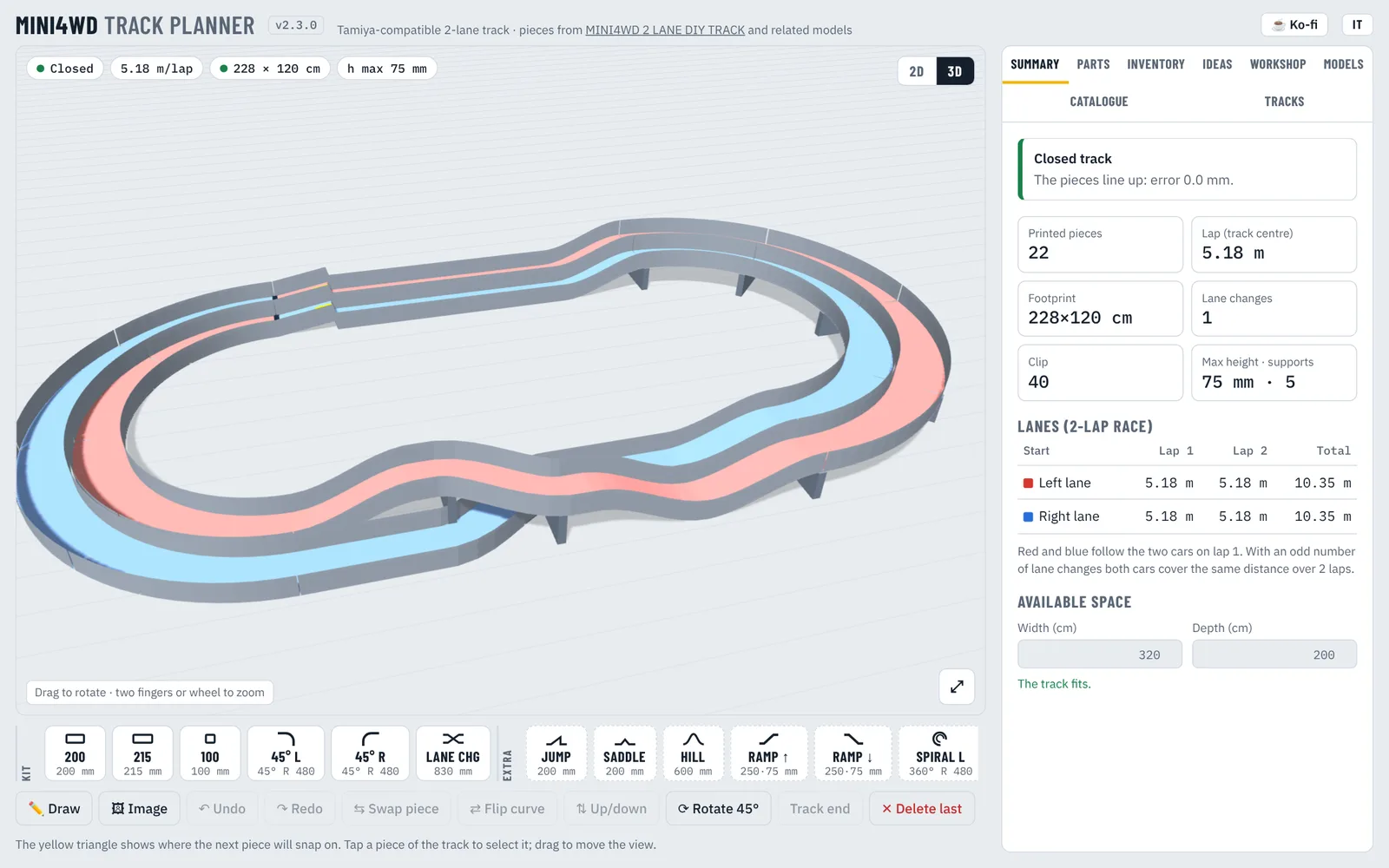
plan, count, print
Plan and parts list
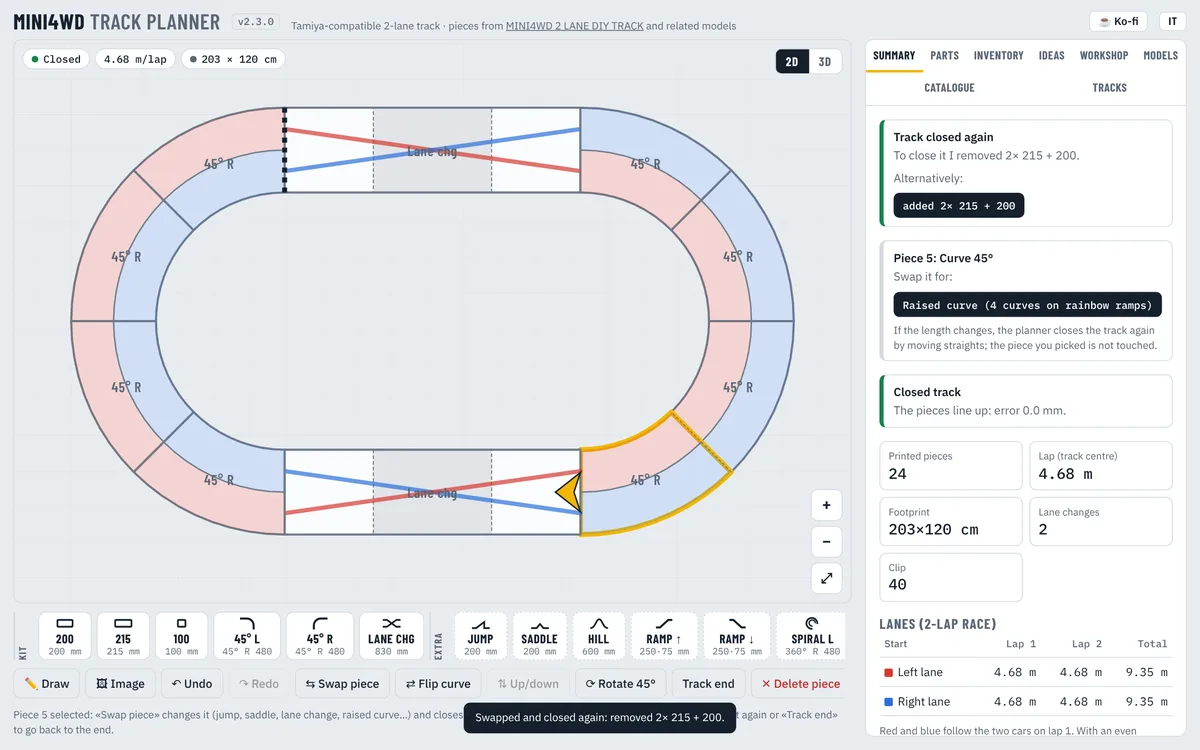
Build the track piece by piece and the planner checks everything as you go.
- Closing check in position, heading and height, with one-tap fixes: swap, insert or remove a piece
- Select a piece and swap it for a jump, saddle, lane change or raised curve: the track closes again by itself
- Equal lane lengths over 2 laps with the lane change
- Footprint, lap length, heights and supports for raised sections
- Pieces needed, in stock and to print, with print hours and clips
Ideas
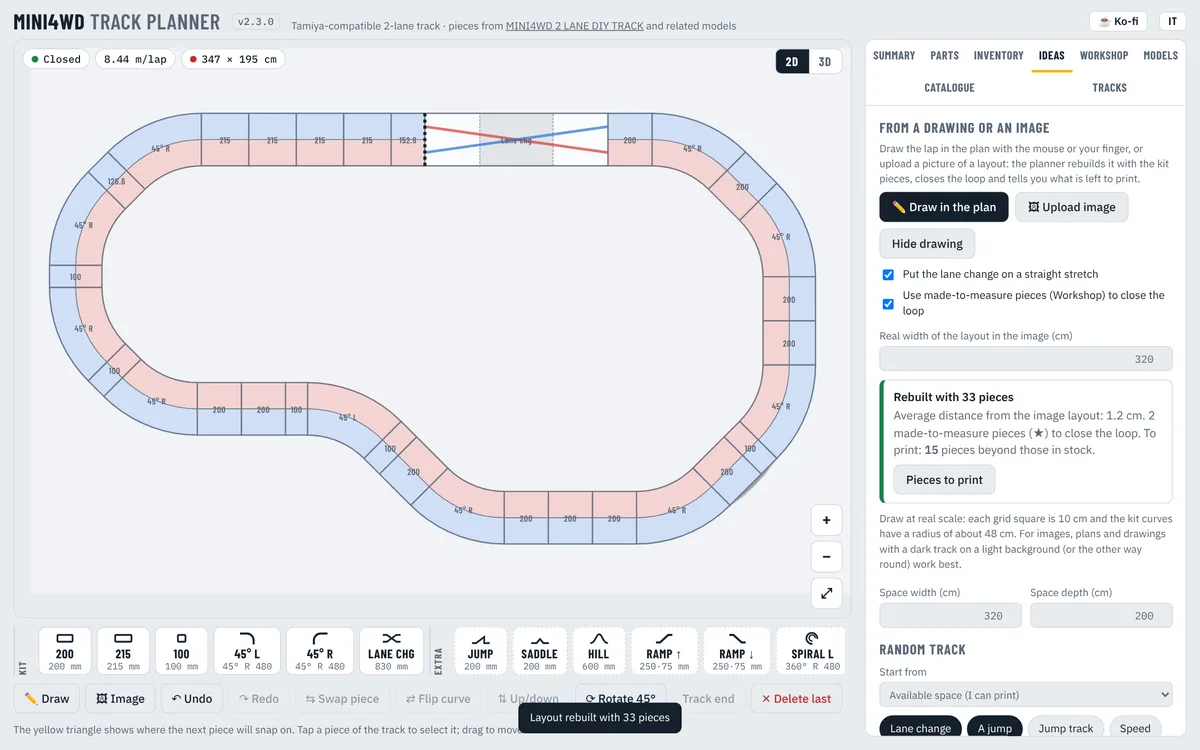
Draw it, upload a picture, tell it how much space you have, or let it use only the pieces you own.
- Draw the lap with the mouse or a finger, or upload a picture of a layout: it is rebuilt with kit pieces and closed
- Three random tracks per click: oval, octagon, chicane, bean, L-shape…
- Options: lane change, jump, jump track, speed, technical, raised turn, spiral, compact
- Every layout closes, comes back to the start height and fits the space
- Sorted alternatives from the cheapest to the longest that fits
Workshop
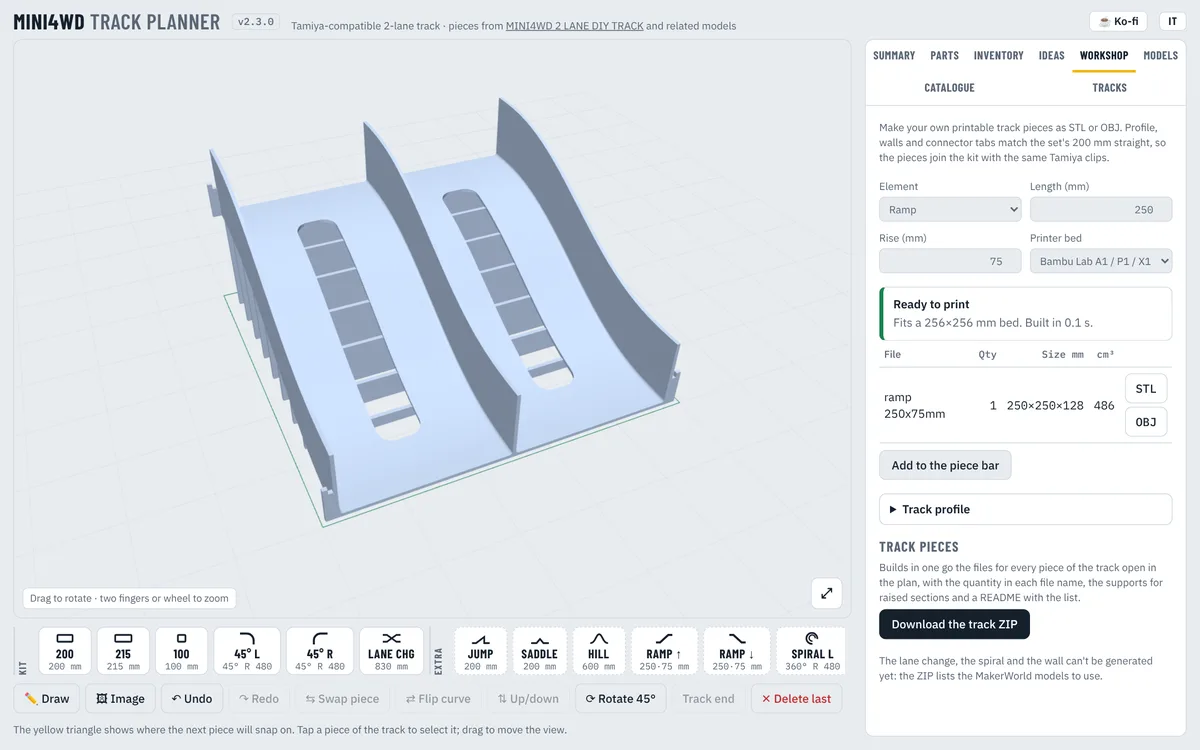
A 3D engine that makes printable track pieces as STL or OBJ, not limited to the models online.
- Straight, curve, ramp, hill, jump, saddle, washboard and supports
- Profile measured on the kit's 200 mm straight: same Tamiya clips
- Pieces too big for your bed are split into equal parts, each with its tabs
- One ZIP with every piece of the track and a README
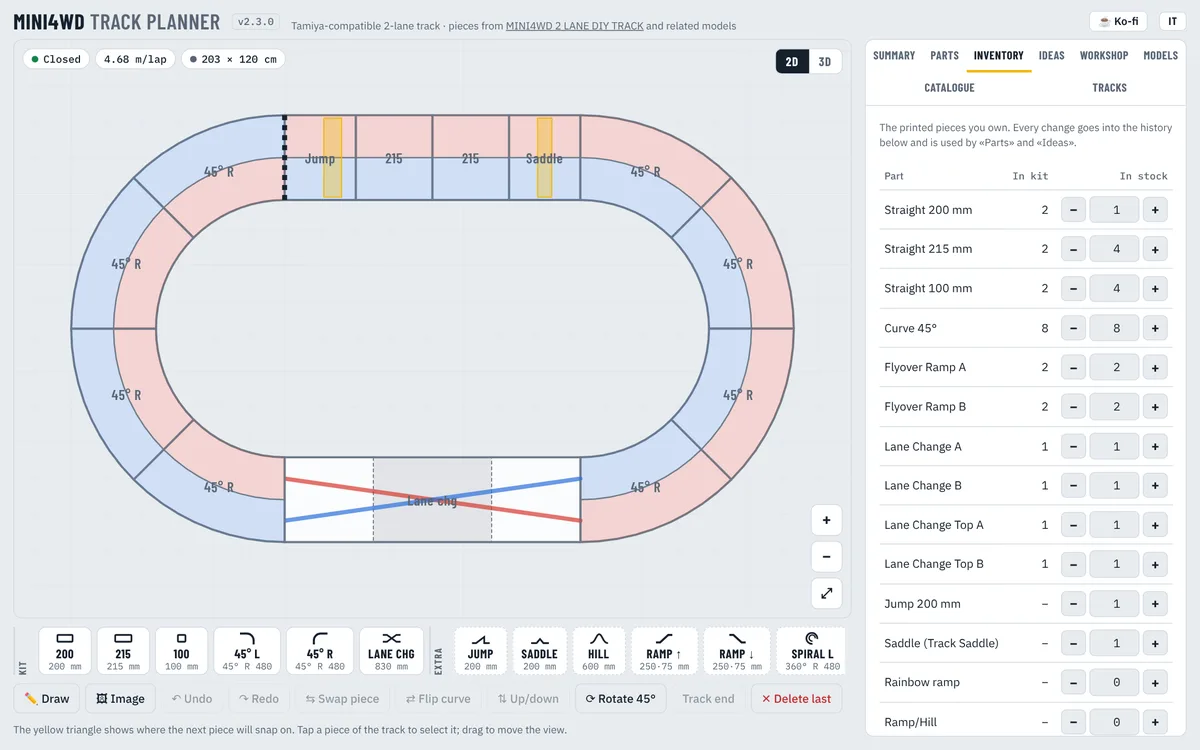
Inventory
Keeps the printed pieces you own, with a history of every change.
- + and − or type the quantity; a full base kit in one click
- History with date, quantity and reason
- Used by the parts list and by every generator
The base pieces come from MINI4WD 2 LANE DIY TRACK by Pat on MakerWorld; jump, saddle, hill, rainbow ramp, spiral and wall from other MakerWorld designers. The app only links to their models.
Get started
In the browser
- Press “Open in the browser” above. It works on computers, tablets and phones.
- Add it to the home screen or the Dock to use it like an app.
- Your track and inventory stay in that browser: Tracks → Copy JSON to move them.
Mac and Windows app
- Download the
.dmg(Mac, Intel and Apple Silicon) or the.exe(installer or portable) from the latest release. - It works offline.
- First launch on a Mac: right-click → Open. On Windows: More info → Run anyway.
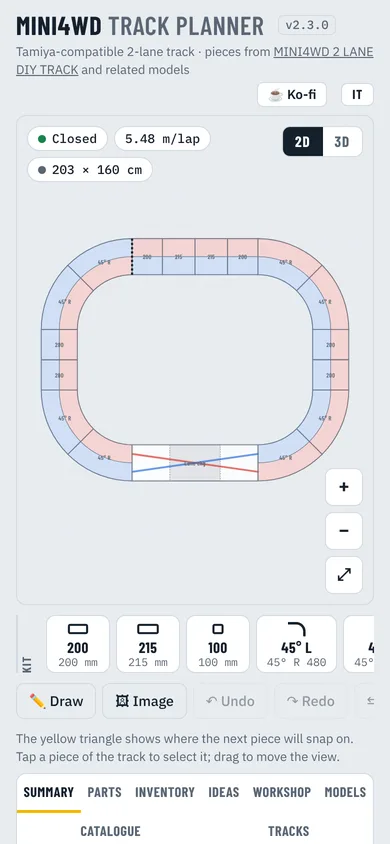
On a phone
Same app on a phone: pan and zoom the plan with two fingers, scroll the piece bar, switch between English and Italian with the IT / EN button.
Mini4WD Track Planner is free and open source (MIT). If it is useful to you, you can buy me a coffee: it helps pay for the time and the filament spent on test prints.
☕ Support on Ko-fiI'm not a programmer. I designed Track Planner for my own Mini4WD track and built it with AI (Claude): I decide what it should do and test it at home, the AI writes the code. Issues and pull requests are welcome on GitHub.